

This step flushes the I/O buffer specified by a mask.
To configure this step open the Edit Step window from Sequence editor.
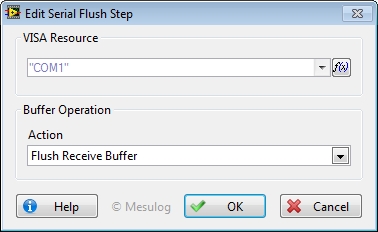
In the Configuration Dialog Box, select a valid VISA Resource.
For this Step, you can configure:
• Mask: designates the buffer to flush.
At execution, step configuration is added to the report.
See Also