

This step writes the data from write buffer to the device or interface specified by VISA resource.
To configure this step open the Edit Step window from Sequence editor.
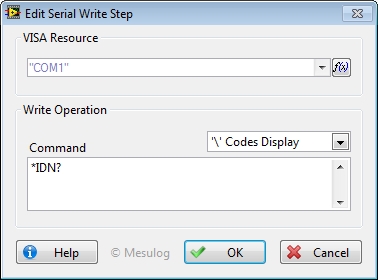
In the Configuration Dialog Box, select a valid VISA Resource.
For this Step, you have to configure:
• Command: contains the data to be written to the device.
|
|
Note You don't need to add quotes ( " or ' ) to the string command. For example, to request the identification you can type: *IDN? |
At execution, step configuration and command are added to the report.
|
|
Tip You can change the display style to show special character like line feed. If all your commands used the same termination character, you can activate this character in the Open Step configuration dialog for this VISA Resource. |
See Also

